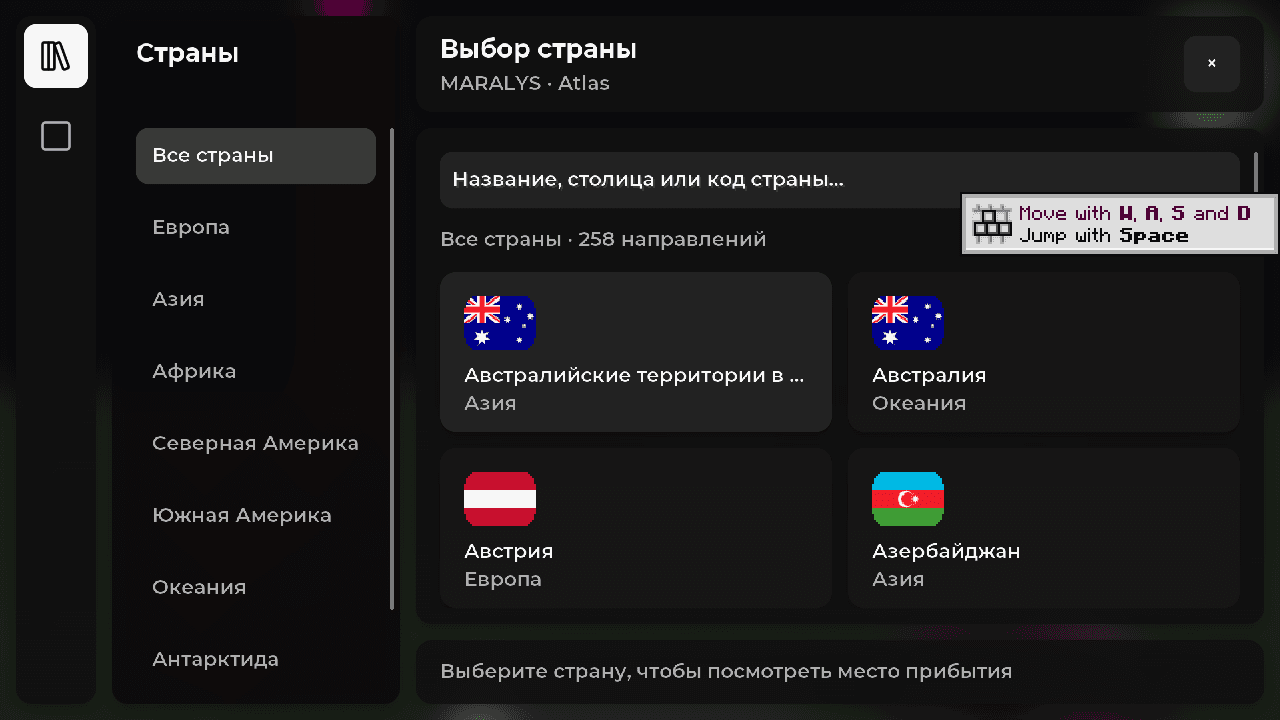
Atlas has a country selection interface for starting on its Earth map. Pick a region, inspect the arrival area and choose a base location. Access is free; install the pack through MARALYS.
The menu helps you begin in a corresponding part of the map instead of walking there from one shared spawn. It is a geographical arrival choice, not ownership of a nation. After spawning, inspect nearby terrain and check where a base can be placed.
Agree on a country and a meeting place before joining together. Selecting the same region is not enough to establish a shared base; decide where to go after arriving. Begin with shared storage and a building site, then divide the work between participants.
Atlas's /spawn command considers a saved spawn location and uses country selection when no suitable one is available. If its behaviour changes after your first visit, consider your bed or anchor. Picking an arrival region and setting a personal respawn point serve different purposes.
The country selection interface in Atlas
MARALYS-owned hardware
20 TPS
For machinery, vehicles and large shared builds.
Processor
AMD Ryzen 9 9950X
Physical host memory
256 GB
Location
Moscow, Russia
Good to know
Before you join.
Does choosing a country make it mine?
No. Choosing an arrival region does not grant rights over the real country's whole territory. In-game ownership follows Atlas's separate mechanics and rules.
Can I select a particular street address?
The menu chooses a geographical arrival area. It does not provide a real-world address system or a ready-made house at a specific address.
What comes after choosing a country?
Choose a base location, gather food and agree on initial shared tasks. Start with shelter and storage before planning an entire capital.