4. Чат, голос и контент
Не флудите, не спамьте упоминаниями и рекламой. Не обходите мут через таблички, названия предметов и других игроков.
 Maralys
 MARALYS IDChecking session
Your path to the first login on REALM: install the app, choose the server, read the rules and prepare the game. Returning players will find useful shortcuts here too.
Select a screenshot to enlarge it.
Have Maralys? Choose your serverHave a question? Find an answerChoose your system on the downloads page. Download and open the installer.
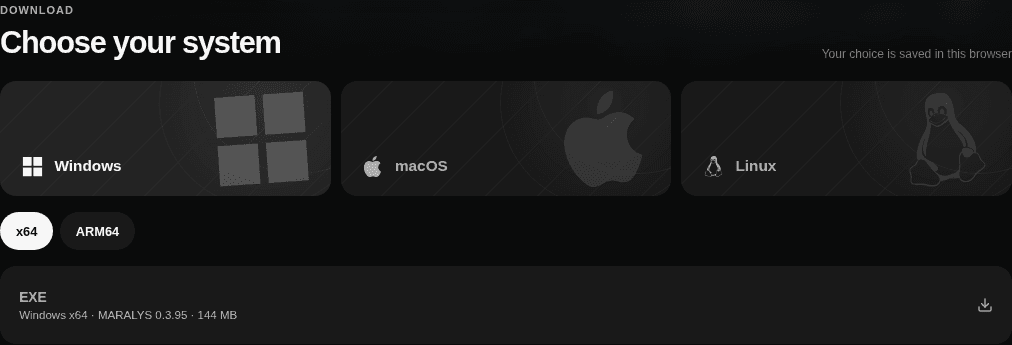
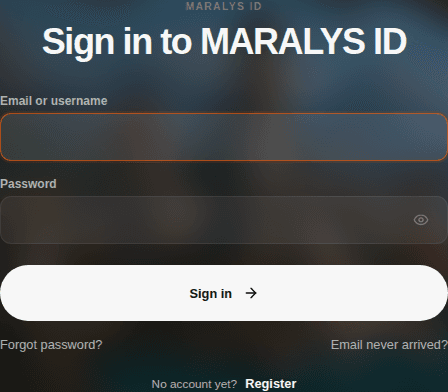
Open Maralys and sign in with MARALYS ID. Choose Register if you do not have an account.
Read the shared MARALYS rules and the sector rules for chat, building and machines.
Sector and MARALYS rulesSelect Play on the sector page. MARALYS installs or updates the shared MARALYS modpack; other sectors use the same installation.
Server pageWait for the game to launch and join the server. Next time, select Play. If an update is offered, let it finish first.
Receive your free starting place in the shared world on first entry. Set up your return point, build a home and check claims. You do not need a registered space to start building.
Не флудите, не спамьте упоминаниями и рекламой. Не обходите мут через таблички, названия предметов и других игроков.
Нельзя обходить приват буром, взрывом, жидкостью, мобом, магией, тросом, логистикой или подвижной сборкой. Атака из соседнего чанка тоже считается обходом.
Нельзя собирать физическую конструкцию внутри породы и добывать или удалять блоки её сборкой, перемещением и разборкой. Это запрещено и на своей земле, даже если вы не подбираете добычу.
Нельзя летать на скобе или рукоятке, если вас поднимает перетаскивание сборки или ошибка крепления. Корпус и декоративный двигатель не отменяют запрет.
Territory, chat and teamwork. The essentials are here.
Game instructions appear once published in the server’s knowledge base.
A quick answer here. The details in a guide or the rules.
Choose a question or start searching; the answer opens here.
Maralys, a MARALYS ID account and the shared Astra-based Oasis pack. Check supported systems on the server page.
No. Joining the server is free; store purchases are not required to start playing.
Supported systems are listed on the server page. Available Maralys installers and architectures are on the downloads page.
Exact memory requirements have not been published yet. Leave resources for the system and other apps; ask support if you are unsure about the setting.
Use the same MARALYS ID on the website and in the app. Check the account before installing the pack.
Open the REALM sector in Oasis and select Play. MARALYS installs or updates the shared Astra pack and opens your selected destination.
Open the server in Maralys, let offered updates finish and select Play. Check news and rule changes after a break.
Check compatibility with the current pack and server rules first. Keep required mods and avoid assembling the pack from a list for another Minecraft version.
The instruction is temporarily unavailable. Open the server knowledge base.
The instruction is temporarily unavailable. Open the server knowledge base.
The instruction is temporarily unavailable. Open the server knowledge base.
The instruction is temporarily unavailable. Open the server knowledge base.
The instruction is temporarily unavailable. Open the server knowledge base.
Identify the stage: app installation, pack download or game launch. Check disk space and update completion. If it repeats, tell support your system, server and exact error text.
Check pack updates and server status. Wait for reopening during maintenance. If access is refused, read the message: a technical failure and an account restriction need different actions.
Image stuttering and delayed actions are different problems. For FPS, reduce render distance and close heavy apps. For delayed actions, check your connection and server status.
Read the current rules and appeal procedure. Then give support the server, situation and restriction message. Avoid trying to resolve a dispute by bypassing restrictions.
Tell us which step went wrong.